Get Fast Support From Our Sales Team
Get Fast Support From Our Sales Team
Need product information, quotation, samples, or delivery details? Our sales specialists will help you select the right TFT, OLED, AMOLED, or custom display solution.

Pixels tell stories. When a spec sheet leads with peak brightness, a store demo loops saturated HDR footage, and the device you actually use spends half its day showing white documents or a fixed dashboard, each is telling you something different about the same display. Which version are you paying for?
I’d choose AMOLED for most smartphones at a comparable price and quality. Its ability to turn off individual pixels gives dark scenes, subtitles, and night interfaces an advantage you can see. For a device that shows the same controls all day, I’d start with a good IPS LCD and compare it against AMOLED under the actual workload. The deciding factors are how much light the screen has to produce, where it has to produce it, and how long the same pixels have to do the work.
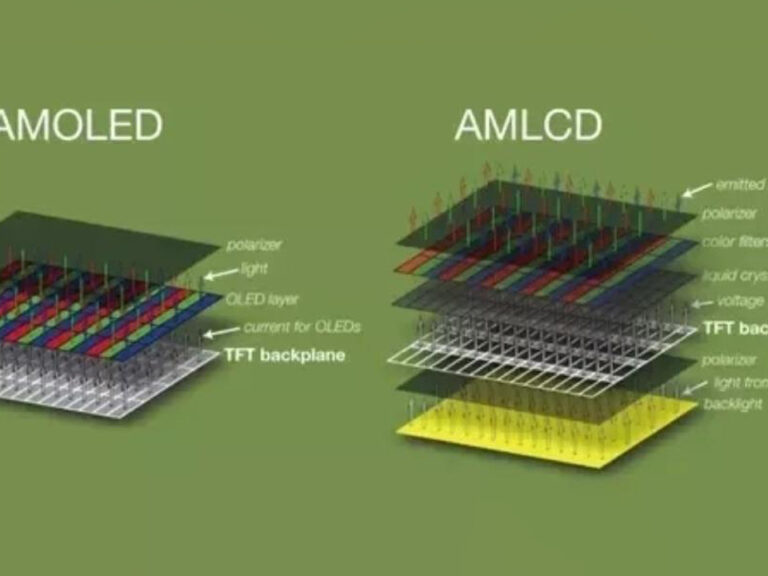
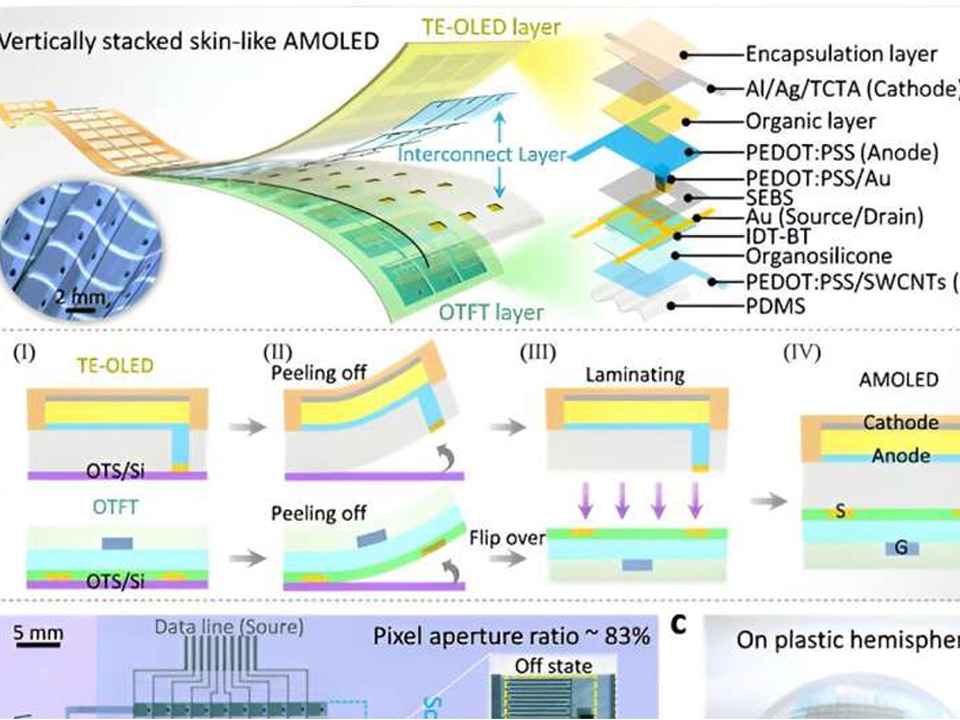
AMOLED stands for active-matrix organic light-emitting diode. Thin-film transistors control the light-emitting subpixels. When an area of the image calls for black, those subpixels can stop emitting light. On a backlit LCD, the liquid crystal layer regulates light from a separate source. Some of that light can make it through even when a pixel is set to black. Mini-LED LCDs can dim groups of backlight LEDs to improve contrast, though the size and behavior of those zones affect what you see around bright objects.
The labels describe different parts of the design. IPS names an LCD switching method. TFT names the thin-film transistors used to control pixels and appears in both TFT LCD and AMOLED specifications. Even the materials can overlap. Indium tin oxide, a tin-doped form of indium oxide (In₂O₃), is a transparent conductor used in display electrodes. The distinction that drives the picture is where the light comes from.
For an example of an active-matrix panel in a handheld format, look at Hicenda’s 5.5-inch 1080 × 1920 MIPI AMOLED display, HG-BB055FHM-T00-6P01. A compact status readout could use a different architecture altogether, such as the 3.12-inch 256 × 64 passive-matrix OLED module with SSD1322. Both emit light at the display surface. Their pixel addressing, resolution, and integration requirements differ.
I distrust a brightness number without its test conditions. A flash of sunlight in an HDR film occupies a small part of the screen. A spreadsheet in a bright office can keep nearly the whole screen white for an hour. Ask for sustained full-screen brightness for the second job and peak HDR brightness for the first. Outdoors, cover-glass reflections can wash out either display, so compare the finished devices in the same light.
Apple’s May 2024 iPad Pro launch makes the distinction concrete. Apple rated the M4 tandem OLED iPad Pro at 1,000 nits full-screen in SDR and HDR and 1,600 nits peak in HDR. Its previous 12.9-inch iPad Pro, a mini-LED IPS LCD, also carried ratings of 1,000 nits full-screen and 1,600 nits peak in HDR. The 13-inch M4 model launched at $1,299 in the U.S. Those matching HDR ratings describe luminance under specified conditions. A white subtitle over a black frame is the better test of how the two designs handle light and dark side by side.
My quick comparison uses three screens of content: a white page for sustained brightness, a dim scene with white subtitles for black levels and blooming, and an outdoor map for reflections. Keep the devices side by side and let automatic brightness settle. A brief look at each screen indoors can miss the behavior that matters on a dashboard or a commute.
OLED power changes with what’s on screen. A mostly black watch face asks relatively little of the panel. A bright white document makes much more of the surface emit light. On a conventional LCD with a global backlight, switching the same document to a dark theme changes the image while the backlight can keep running at roughly the same setting. Local dimming and adaptive backlight controls can change that behavior.
For a fair comparison, I’d match measured luminance, use the same content and refresh rate, and repeat the test with the same radios active. A brightness slider at 50% can produce different luminance on two devices. If a review gives you a single battery number, check whether it came from browsing white pages, watching video, or running a mixed workload. A larger battery, a more efficient processor, or a different modem can easily change which phone lasts longer.
For a wearable, test the always-on face and the wake animation separately. A round design can start with the 1.39-inch 454 × 454 round AMOLED module. A taller interface can use the 1.41-inch 320 × 360 MIPI AMOLED module as a reference. On either panel, measure the finished interface, including how often it wakes and how long it stays bright. A dark watch face and a full-color workout screen are two different power tests.
The first question I’d ask is what stays in the same place for hours. An AMOLED status bar, navigation strip, or fixed control panel can age those subpixels unevenly. A varied feed spreads use around the screen. The risk changes with brightness, time, content, and the device’s compensation behavior.
In its October 26, 2023 update, RTINGS reported that many TVs in its accelerated longevity test had reached about 6,000 hours. It observed permanent burn-in on some OLEDs and worsening uniformity on some LCDs. It also found that some marks initially attributed to permanent burn-in were temporary image retention that cleared after a compensation cycle. The test used TVs and monitors under accelerated conditions. For a phone or embedded panel, I’d use it to identify failure modes to test against the product’s own operating schedule.
This is where I’d push back on a buyer who insists that every premium device needs AMOLED. A bench instrument can show the same scale, units, and warning icons for years. If the interface is small and monochrome, a 2.42-inch 128 × 64 graphic OLED module with SSD1309 is worth evaluating alongside an LCD. Run both with the real screen layout at the required brightness and inspect uniformity after extended operation.
Omdia’s June 24, 2024 report put first-quarter smartphone display shipments at 182 million AMOLED panels, up 39% year over year, and 172 million TFT LCD panels, down 10%. It was the first quarter in which AMOLED led by shipment volume in that tracker. Omdia also pointed to lower-priced AMOLED supply reaching midrange phone brands. That helps explain why the panel label became less useful as shorthand for a phone’s price tier.
For films, photos, and nighttime use, I’d pay for a well-tuned AMOLED. For reading, navigation, or long sessions in a bright room, I’d give sustained brightness, reflections, and low-brightness comfort more weight. If flicker bothers you, look for measurements of the exact model at the brightness you normally use. The dimming waveform can vary with the setting, and the advertised refresh rate tells you how often the image updates.
For procurement, add the replacement quote to the comparison. On a phone, price the complete screen repair. On a module, compare the installed cost, including the connector, cover glass, power rails, firmware work, and the cost of requalifying a substitute. A panel that looks like a bargain on its own can become expensive once the enclosure and electronics are committed.
| What to compare | AMOLED | IPS LCD | What I’d check |
|---|---|---|---|
| Black levels and contrast | Individual subpixels can stop emitting light | Black level depends on light leakage and backlight control | White subtitles over a dark scene |
| Bright rooms and sunlight | Readability depends on sustained output and reflections | Readability depends on the backlight, optics, and reflections | A white page or map in the intended lighting |
| Battery life | Panel power varies with content and brightness | A global backlight keeps drawing power on dark screens | The same content at the same measured luminance |
| Fixed graphics | Uneven subpixel aging can leave persistent marks | Backlight and panel uniformity can degrade over time | The real interface at its expected daily duty cycle |
| Low-brightness comfort | Dimming behavior varies by model and setting | Backlight dimming behavior varies by model and setting | A dim-room trial and measured flicker data |
| Repair or replacement | Quote the exact panel or complete assembly | Quote the exact panel or complete assembly | Installed cost, warranty, and availability |
AMOLED is a self-emissive display whose organic light-emitting subpixels are controlled by an active matrix of thin-film transistors, while an LCD is a backlit display whose liquid crystals regulate how much light passes through each pixel, giving the two technologies different ways of producing black. AMOLED can stop emitting light at individual pixels. An LCD’s black level depends on how well it blocks or locally dims its backlight.
AMOLED is generally the better choice for a smartphone used for video, photography, and dark interfaces because it controls light at each pixel, while IPS LCD can be the better choice for a specific device when its sustained brightness, low-brightness comfort, repair price, or handling of fixed graphics matters more. Compare actual models at similar prices and test the screen with the content you use most.
AMOLED battery savings come from reducing the light emitted by darker pixels, and the effect on total phone runtime depends on display brightness, how much of the screen stays dark, refresh behavior, battery capacity, and the power used by other components such as the processor and modem. Dark mode can help on an OLED phone. The gain depends on how you use it.
Peak brightness is a display’s maximum luminance under a specified test condition, expressed in nits, and its relevance depends on the size of the bright area, how long the screen sustains that output, and whether the measurement comes from HDR playback or an outdoor high-brightness mode. For maps and documents, look for sustained full-screen brightness and compare reflections on the finished device.
AMOLED burn-in is a persistent change in brightness or color caused by uneven aging of light-emitting subpixels, often after repeated exposure to fixed graphics such as status bars or controls, and it remains visible across different images after temporary image retention has had time to clear. For a fixed interface, check the exact device’s warranty and test with the graphics that will stay on screen longest.
If you’re buying a phone, open the same white page, dark video, and outdoor map on both finalists before paying for an upgrade. If you’re specifying a module, request the full datasheet and a sample, then run your actual interface at its target brightness. Use the screen you’ll look at every day to make the decision.
Leave Your Comments